
PLATFORM
Your company knowledge will be utilized
AIDA makes selected documents and technical information accessible for specific questions. Sources, versions, and permissions are all factors in the quality of the answer.
Discuss your use case ↗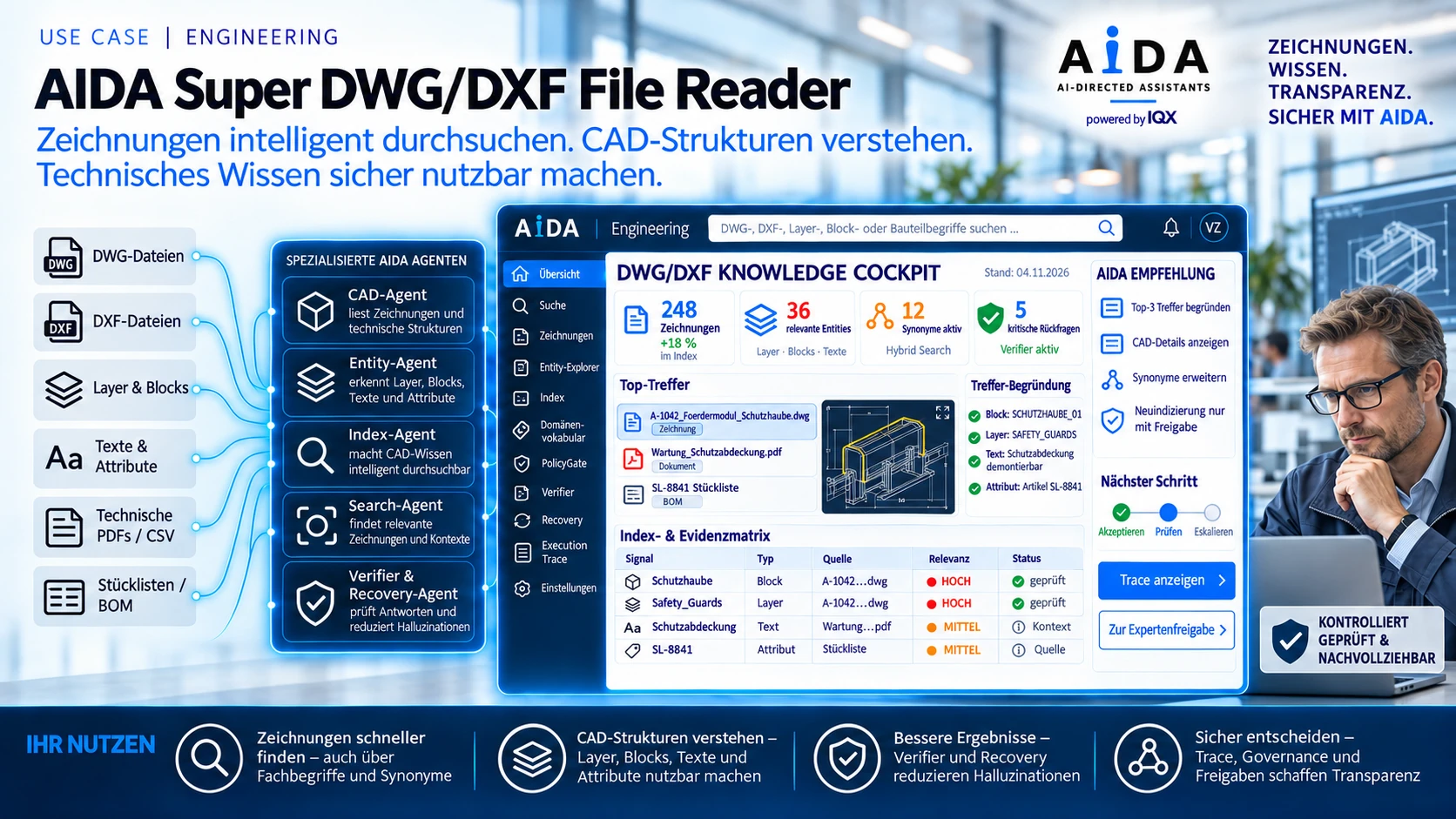 View larger image ↗
Start with a clear area of knowledge
A sensible starting point is a defined area, such as maintenance documentation for a system, approved quality documents, or drawings of a product family. This allows for a transparent review of data quality, access rights, and typical questions.
Prepare sources for the search
The file type, structure, and content determine the processing. For technical drawings, suitable converters, metadata, and the assignment to components or systems may be necessary. A file upload alone does not unlock every technical detail.
Link answers to sources
The team must be able to understand the basis of an answer. Document references and version numbers help to verify a statement. Contradictory or missing sources are treated as open questions and clarified by the experts.
Set permissions and updates
Before connecting, we clarify which individuals are authorized to use which resources. Equally important is how changes and withdrawn documents will be handled within the knowledge base. Responsibility for content and operation will be assigned.
Evaluate hit quality in the pilot
Together, we will create a questionnaire with expected sources and challenging counterexamples. We will evaluate verified hits, follow-up questions, and unsuitable answers. This will provide a solid foundation for further development.